Driven Synth Pluck
0:00 / 0:00
Lo-fi
Pull the sample rate down and dial in the crunch.
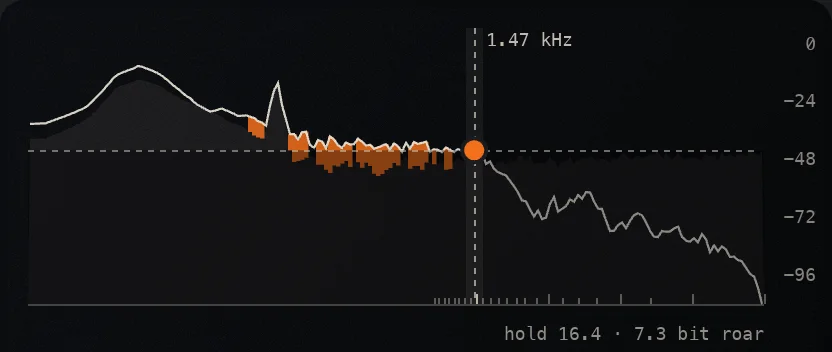
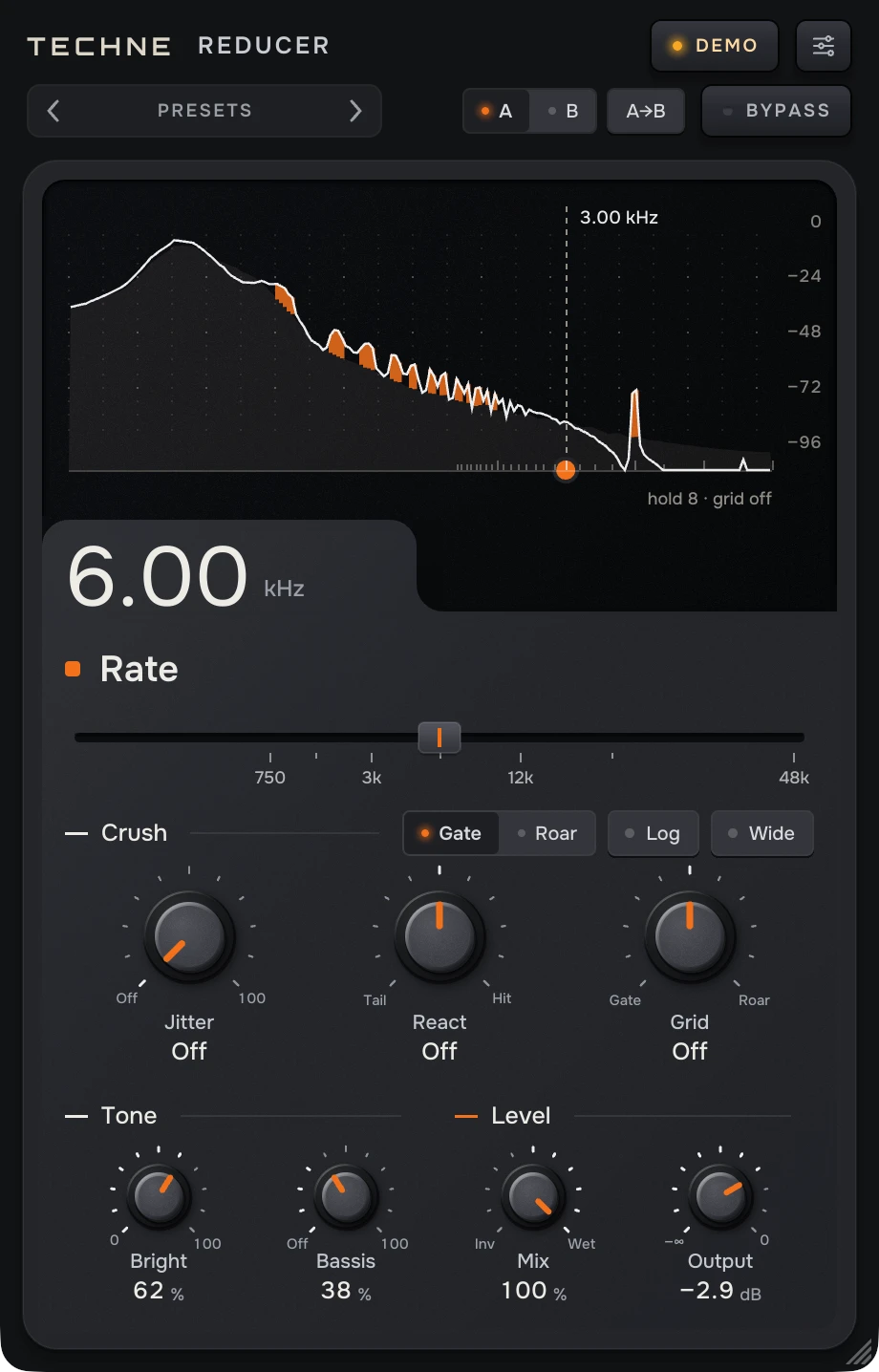
From a light grit on drums to a sound that falls apart. The screen shows what the crunch adds and what it takes away.
Free until Dec 31 $9 · get it now and it’s yours to keep
By claiming you agree to the Software License and Terms.
Free. Your email gets the download and your key, and puts you on the Techne Signal List. Unsubscribe anytime.
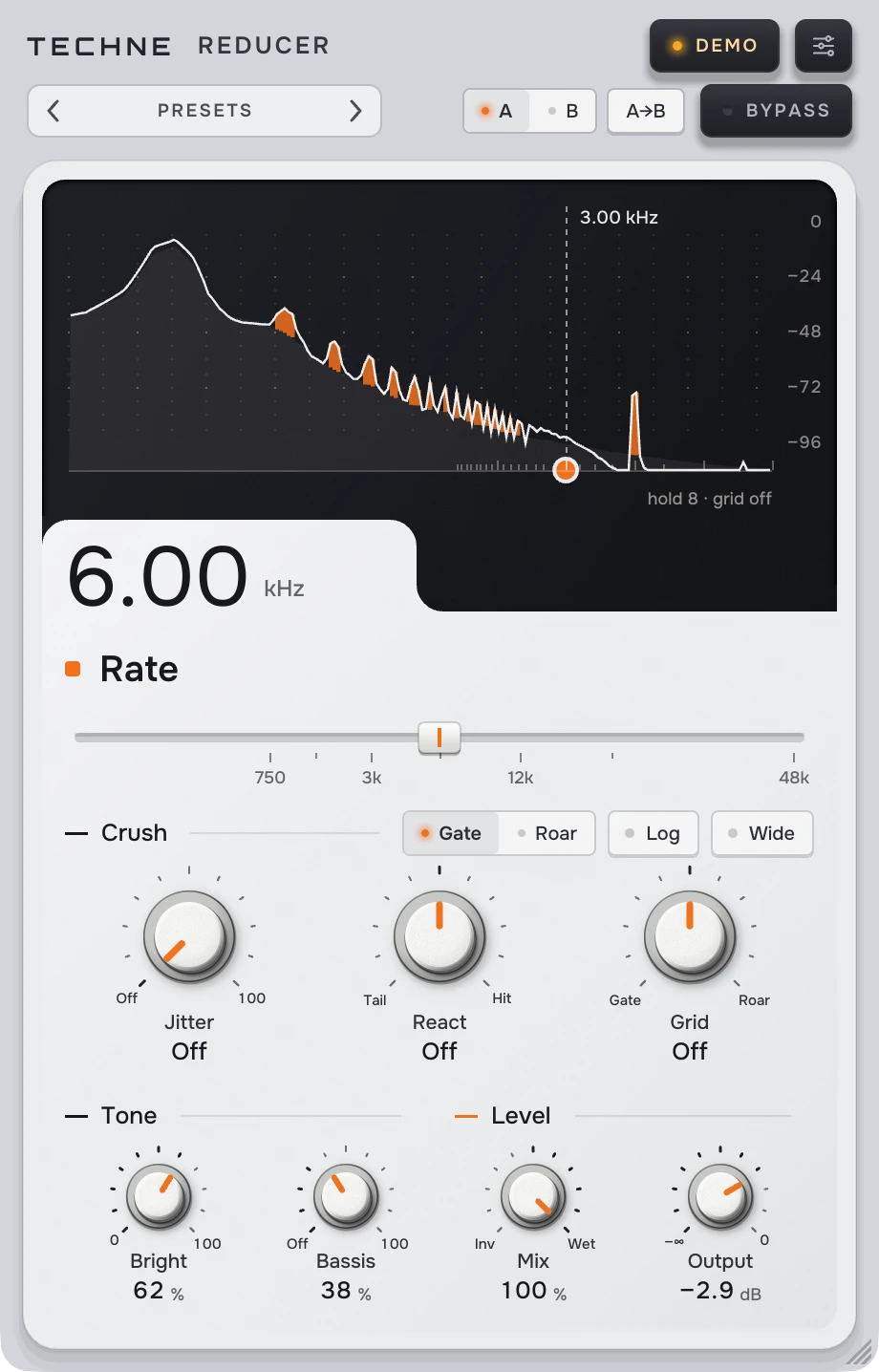
Press play, then flip BEFORE and AFTER while it runs. Same audio, same position, only the crunch changes.
How hard it crunches. High up, an edge on drums. Lower down, a rounded retro texture for bass and synths. At the bottom, the sound falls apart.
Crunch that follows the hits. Toward HIT the attacks break up and the rest comes through cleaner. Toward TAIL the hits stay whole and the decays fall apart. Try it on drums and percussion.
What happens to the quiet parts. Toward GATE they drop out, so tails and room fall away. Toward ROAR they turn into a buzzing roar. Try it on drum rooms, pads and long tails.
The screen draws the sound going in and the sound coming out, one over the other. It is also the control: drag on it to set the crunch.
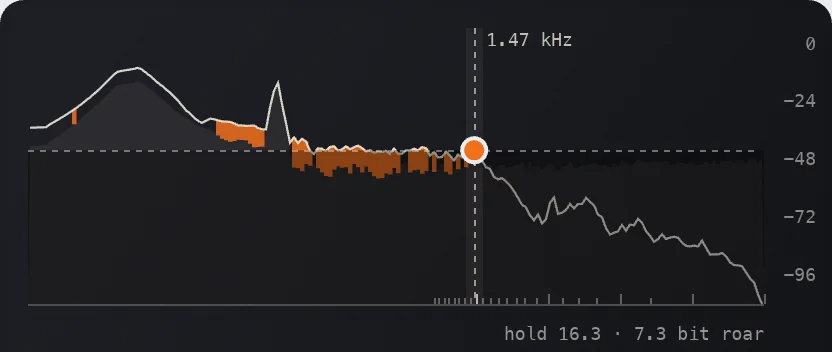
Orange is what the crunch adds: the tones it folds down and the grit of the grid. The dashed line is the fold. Turn RATE and watch it move.
Across sets RATE, up sets GRID, in one move. Double-click to start over.
Turn MIX all the way to INV and you hear only what the crunch changed.
JITTER loosens the crunch so it stops sounding steady. WIDE crunches the left and right sides apart.
Airwindows DeRez4, ported bit for bit and checked against the compiled original (maximum difference 0). With JITTER, REACT and GRID off and MIX at WET 100, how it opens, the output is DeRez4’s exactly.
Captures a point every N samples and draws straight lines between them at full floating-point resolution: the rate comes down, the word length does not. The hold is a whole number of samples, so it moves in plateaus. It lifts the level: +1.9 dB at ÷4, +6 dB at FULL. The bottom is silence.
The capture clock made unsteady. Just above OFF each hold picks between its two neighbors, so RATE turns continuous; higher, every hold is spread at random, up to ±50 %. Seeded, so a render repeats. Level change under 0.25 dB.
An onset detector (zero latency, about 40 ms wide on a drum) pulls RATE toward FULL and GRID toward OFF away from the attacks (HIT) or on them (TAIL). It only cleans, never goes past the knobs. The level lift is held, so it does not pump: +0.1 dB at HIT 100.
Each captured point quantized, 16 bits just off center down to 2 at either end. GATE is mid-tread: quiet material falls to zero, at GATE 100 everything under about −12 dBFS. ROAR is mid-rise: quiet material becomes a half-step square; digital silence stays silent. µLAW puts the steps on a μ-law curve (G.711, μ = 255).
A Bezier smoothing before and after the crush. Lower is darker (at 0: −6 dB at 2 kHz, −21 dB at 5 kHz); from 87 at 44.1 kHz it leaves the path and the crush is heard raw. It changes in a few steps, at the marks under the knob.
A resonant low shelf before and after the crush, not a high-pass: at the default −12 dB at DC and +5 dB at 60 Hz, flat from 240 Hz. Higher thins the sound. OFF takes it out of the path.
MIX runs WET, DRY, INV; INV 100 is the input minus the processed signal. No level matching: the crush delays by one hold, so a blend combs. OUTPUT only attenuates (−∞ to 0 dB); it opens at −2.9 dB to offset the lift.
The right channel’s capture cycle starts half a hold behind the left’s, with its own JITTER draws. The left stays DeRez4’s own. No effect on a mono track.
A 4096-point FFT of the input and output mids, about 30 times a second; 0 dBFS is a full-scale sine. The input is the body, the output the line; orange is the output 6 dB or more over the input. The dashed upright is the fold (half the capture rate), the shade under the dashed level is GRID’s floor, and the ticks on the baseline are the whole-sample holds.
None reported to the host. The crush’s own delay of one hold is part of the effect.
A 10 ms crossfade; Reducer keeps running underneath and comes back warm.
Free until Dec 31, then $9. Five machines per key.
Drop your email to unlock the download and your key, and hear when new Techne devices drop.
By claiming you agree to the Software License and Terms.
You’ll join the Techne Signal List. Unsubscribe anytime.